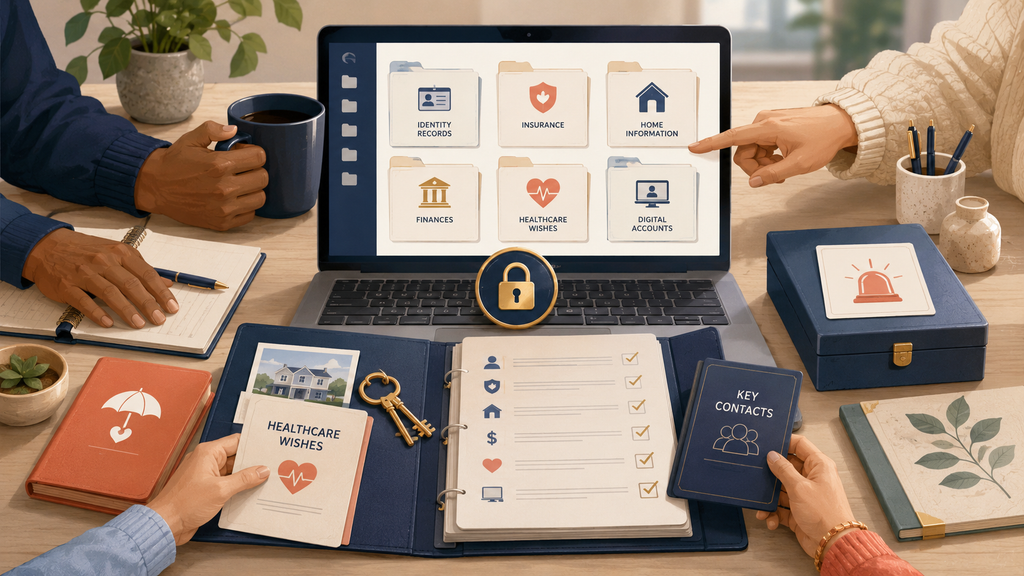
If an emergency happened tomorrow and I could not explain anything, would the people close to me know where to begin? It is a simple question, but the answer may not be.
More of our lives now exist online. In 2024, 93% of people aged 16 to 74 in the European Union used the internet. Eurostat also found that 80% used email and 67% used internet banking.
Source: Eurostat, People online in 2024
Important information may be spread across inboxes, devices, online accounts and paper files. A digital estate folder gives someone you trust a clear place to start. This can help anyone.
Eurostat counted 76.1 million single adult households without children in the EU in 2025. This was 19.2% more than in 2016.
Source: Eurostat: Household composition statistics
A friend or relative may need to help someone who lives alone. Couples may have personal accounts the other person does not know about. Families may need information about children, other dependants and pets. Seniors may want to make things easier for the person who supports them.
The folder will look different for each person, but the following seven steps provide a practical starting point.
1. 📁 Decide what the folder needs to do
A digital estate folder is a secure guide to your important information. It should explain what exists, where the original can be found and who may need to be contacted. It can cover financial records, legal documents, health information, home details, digital accounts, dependants and pets. It does not need to contain every document. A simple index is often safer and easier to maintain.
The folder supports wider estate planning and legacy planning. A will or power of attorney may give someone legal authority. The index helps them find those documents.
2. 🧭 List where your information is stored
Before creating new folders, write down where your information already lives.
Check:
- Email accounts and cloud storage
- Phones, tablets and computers
- Bank and credit card accounts
- Insurance, pension and investment websites
- Healthcare, tax and government websites
- Paper files and safe storage
- Your password manager
- People who already help with parts of your life
This follows the same idea as FamilyOS. Personal systems are easier to manage when they are visible instead of existing only in one person’s head.
3. 🏦 Collect useful clues
Bank transactions are one useful source because they can reveal organisations and services you may have forgotten. Download 12 to 24 months of transactions from your bank accounts and credit cards. Choose CSV or Excel format when possible. These files keep the information in rows and columns, making them easier for an AI tool to review. Regular payments may point to insurance, housing costs, household services, pensions, investments, loans, healthcare, memberships and subscriptions.
Also collect useful filenames and short notes from your other sources. At this stage, you only need enough information to recognise what each item may relate to. A transaction or filename is a clue, not proof. Check the original account, policy or document before adding anything to the final index.
4. 🔒 Remove private details
Prepare the information before giving it to an AI tool. Remove full names, addresses, account numbers, card numbers and personal payment references when they are not needed. Never share passwords, PINs, security answers or recovery codes.
Keep passwords in a trusted password manager. The folder can mention that the password manager exists and explain whether approved emergency access has been arranged.
5. 🤖 Ask AI to create the first index
AI can group the prepared information, find repeated organisations and highlight items that may need attention. You can use this prompt:
Review this information and create a clear index. Group the items under identity and legal, money and insurance, home, health and care, dependants and pets, digital accounts, and trusted contacts. Show what each item is, where the original may be stored and what still needs to be checked. Mark anything you are unsure about.
AI can make mistakes. Compare every suggestion with the original information before keeping it.
6. 🗂️ Build a simple folder
Once the first index is checked, organise it into clear sections:
- Start here: The main index, access instructions and date of the last review
- Identity and legal: Identity documents, wills and powers of attorney
- Money and insurance: Banks, pensions, debts, investments and policies
- Home: Housing details, utilities, keys and useful contacts
- Health and care: Key contacts, medication lists and care information
- Dependants and pets: Routines, contacts and immediate needs
- Digital accounts: Important services, devices and subscriptions
- Trusted contacts: Family, friends and professional advisers
Use clear file names and keep only one current version.
7. 🤝 Share the starting point and keep it current
Tell one trusted person that the folder exists. They should know where it is stored, when it should be used and how approved access works. Choose someone who is reliable and understands the responsibility. Being close to someone does not automatically mean they should have access.
Review the folder after moving home, changing jobs, opening a new account or changing insurance. Check it at least once a year to confirm that contacts, file locations and access instructions still work.
You do not need to complete everything at once. Begin with one source and build from there. A digital estate folder is not really about documents. It is about giving someone you trust fewer questions during a difficult moment.
❓ Frequently asked questions about digital estate folders
Does the folder need every document?
No. An index can explain what exists and where the original is stored.
Should I put passwords in the folder?
No. Keep passwords in a trusted password manager and arrange emergency access if the service offers it.
Can AI create the complete folder?
AI can create a first draft. You must check that every item is correct and complete.
How often should I review it?
Review it after an important life change and at least once a year.
This article is for general information only. It is not legal, tax, financial, medical or security advice.
🙋♂️ Would you like personal guidance?
If you would like help creating or reviewing your digital estate folder, use the reply form below. Write Digital Estate Folder in your message and please do not include personal or sensitive information.